Looks really cool! Shall we split into a dedicated thread?
(In fact I think we should have dedicated threads for all the major keyboards/brands as I’m sure I’m not the only one who’ll have questions about them.)
I’ve set a bookmark for December 1 - It should be here by then, and I should have had a chance to use it for at least a little bit at that point. Hope it goes well!
I’ll be curious to hear what you think too Brent! Looks like it’s made by the same people who make ergodox?
I like that it works without having to install any special drivers:
Works with Windows, macOS, and Linux.
No special drivers or resident software needed.
Now that I’m using a sanding desk most of the time (while on the bike) I could put one half of each keyboard on either side of the base of my monitor stand and I think that would be a comfortable position (and negate the additional space it takes up at the front). So definitely curious to hear your thoughts!
They are a bit pricey here in the UK tho, by the time you add VAT they’re £332
If it doesn’t need any special software then I am making it my new keyboard for sure. The question remains though: will it work-work or just work? I mean, every keyboard will just work but could you actually configure the backlighting and other aspects without a program in your OS? Or do they have a program for all 3 major OS-es?
After macOS 10.14 many keyboard controlling apps / drivers stopped working on macOS and now it’s pretty rare to actually have one that works. Logitech does it, and they are the only ones I know of. The rest just don’t care.
I actually just hopped on to see if there were any threads about keyboards and saw this. I also just purchased a Moolander! I heard about it on the Elixir Outlaws podcast. I can’t wait try it out.
A lot of the custom diy boards that are kits use QMK to flash board. Moonlander uses a fork of qmk. https://qmk.fm/. I built my own custom ortholinear board last year:
@AstonJ I still haven’t received it yet . I knew it would be late October early November when it would arrive, so I’m not disappointed. But of course sooner is always better than later.
I did however receive my Keyboardio Atreus. It’s meant to be my “travel” keyboard. It has also allow me to hone my layout .
The Atreus looks pretty neat too! You’ll have to post a review for them both when you get time
Which switches did you order for the Moonlander btw? I’m tempted to order it, even if I don’t like it I’m pretty sure I could sell it on eBay and not lose too much…
Definitely! I’m enjoying the Atreus, but looking forward to comparing the the two.
I hadn’t had any experience with switches until ordering these boards. I selected the Mx cherry browns (tactile) with the MoonLander. However, I have Kailh box whites (clicky) on the Atreus and I am enjoying them very much.
I do own a couple of switch testers that come with various kinds of switches on them. And I’ve even put them in the Atreus since it’s hot swappable. I think I want tactile but not cherry. So I’m looking into other options. Kailh speed copper (tactile) but also exploring Kailh speed silver (linear) just try something different.
Guess what I ordered I’m blaming you @foxtrottwist!!
I actually chose the Kailh box whites as I wanted something clicky to help get used to it being ortho. I can always get tactile browns later if need be. I’m in batch 4, so delivery is Nov to Dec 25th… just in time for the new year



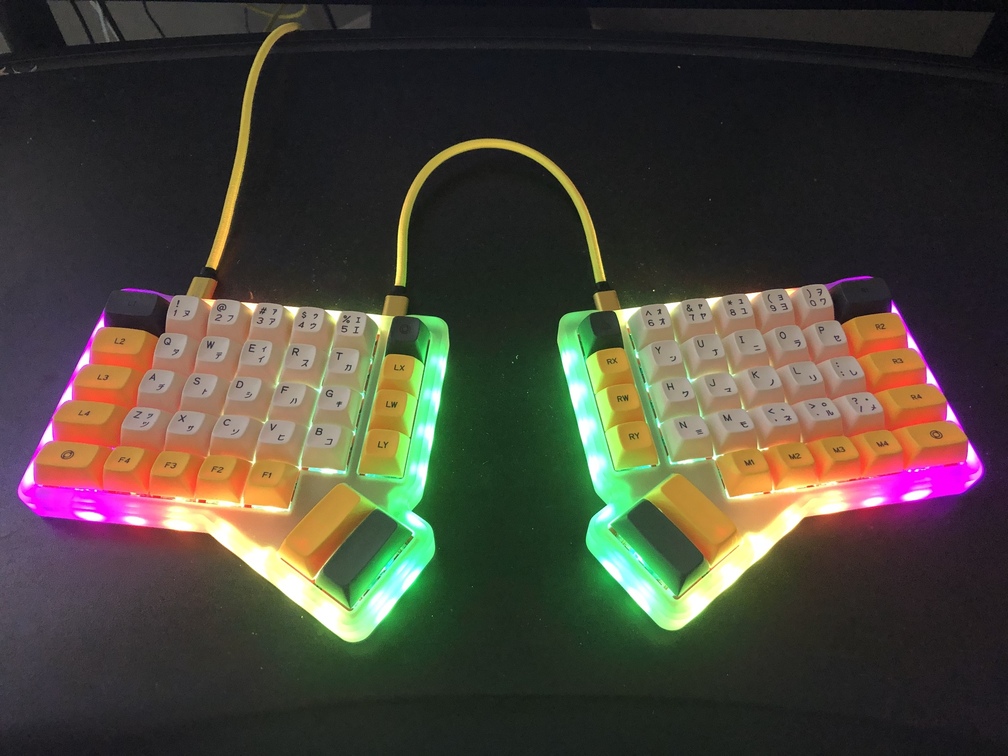

 . I knew it would be late October early November when it would arrive, so I’m not disappointed. But of course sooner is always better than later.
 .
. I’m blaming you